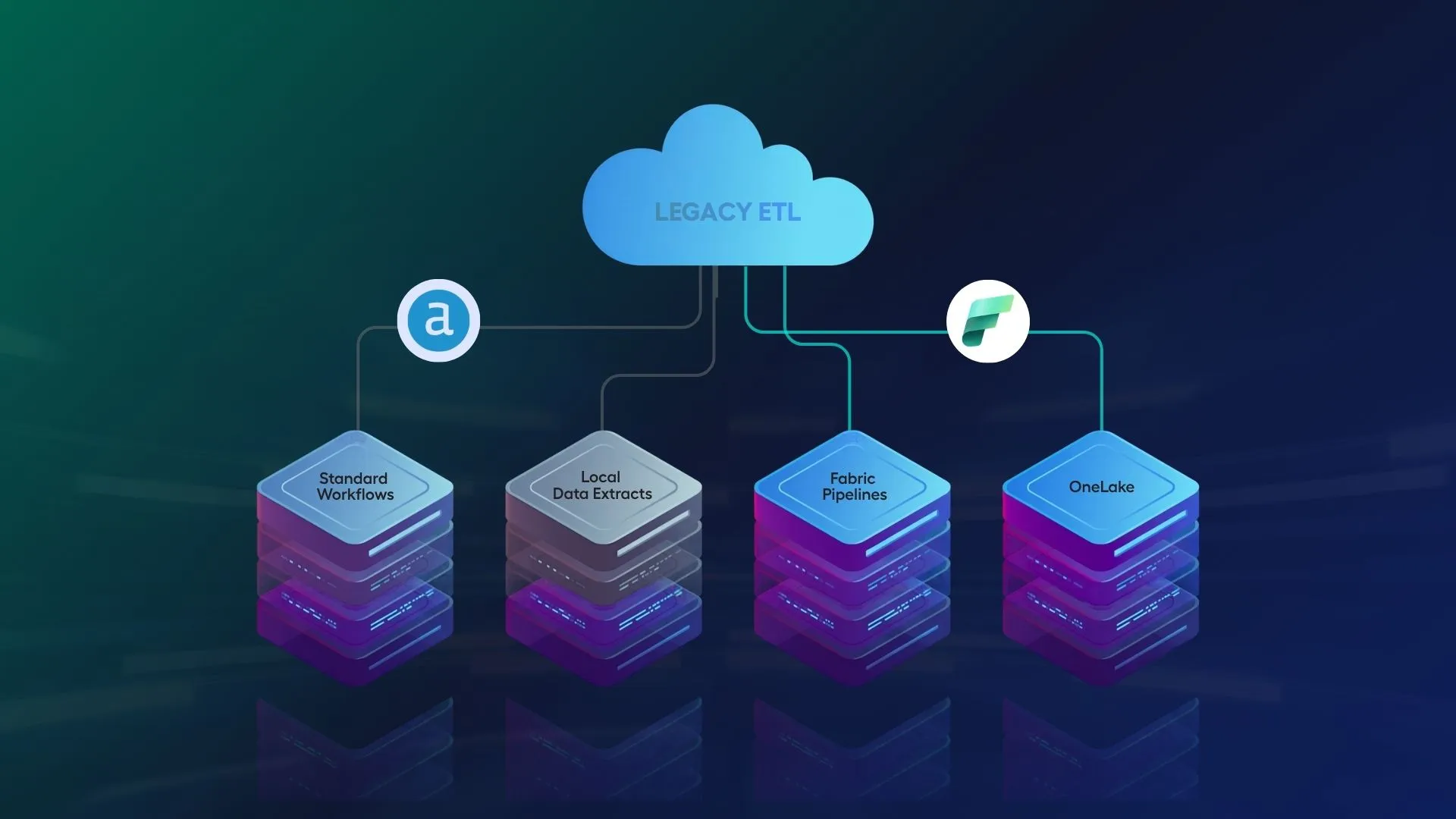
Alteryx comes across as a breath of freshness at the beginning. It enables users to clean data, combine sources, and automate repetitive tasks. But as adoption grows, the environment can quietly become harder to manage. A few useful workflows can turn into a large estate of desktop files, server schedules, shared folders, undocumented dependencies, and business-critical processes that not everyone fully understands.
Modernization doesn’t always lead to immediately abandoning Alteryx. It could be an incremental approach to updating the platform, bettering governance, removing older workflows, bettering ownership, or shifting specific workloads nearer to your cloud data environment. Across organizations, this change also signals the right time to start a phased migration from Alteryx to Microsoft Fabric.
This particular blog will inform you of signs that your Alteryx estate may be due for modernization; it may be due for Microsoft fabric migration.
1. Workflow Sprawl Has Made Ownership Unclear
A common warning sign is an inconsistent workflow. You may start seeing things like:
- Workflows spread across desktops, shared drives, Alteryx Server, and departments.
- No clear owner when something breaks.
- Multiple versions of the same workflow, with no obvious “right” one.
- Reports and downstream teams depending on outputs that are not fully documented.
2. Governance and Auditability Are Becoming Harder to Prove
As Alteryx becomes part of everyday operations, leaders naturally expect more control. They need clear answers to questions such as:
- Where did the data come from?
- Which rules were applied?
- Who changed the workflow, and when?
- Can the final output be trusted?
If teams are still relying on manual checks, informal approvals, or knowledge held by a few individuals, the estate may have grown beyond its current governance model.
3. Performance Is Slowing as Data Volumes Grow
Another sign is performance drag. You may notice that:
- Workflows that once took minutes now take hours.
- Analysts split files or run jobs overnight to get results.
- Local machines become a bottleneck.
- Multiple jobs compete for limited execution capacity.
When this becomes normal, it is worth asking whether some workloads need a more scalable execution model.
Also read how a Leading telecom enterprise automated 1,800 Alteryx workflows to Microsoft Fabric with the help of Sparity.
4. Your Data Strategy Has Moved to the Cloud, but Workflows Have Not
Many organizations have moved their data strategy toward cloud warehouses, Lakehouses, and modern data platforms. But older Alteryx workflows may still create friction by:
- Pulling large datasets down to desktops or isolated servers.
- Duplicating compute that could happen closer to the data.
- Increasing processing time and data movement costs.
- Making cloud governance harder to apply consistently.
A modernized estate helps determine what stays in Alteryx, what runs in the cloud, and what logic should come closer to the data. This is where Microsoft Fabric can enter the discussion for teams looking for a single SaaS-based analytics environment with OneLake, Data Factory, Lakehouse, Warehouse, Power BI, and governance all integrated in a single ecosystem.
5. Total Cost of Ownership Is Rising Faster Than Value
Licensing usually brings the cost of ownership into the open, but the true cost is typically broader. Teams can waste effort and time fixing broken workflows, remaking logic that already exists elsewhere, supporting manual handoffs, or solving dependencies that no one documented. If keeping the estate takes more effort than making new business value, it could be wise to check if an Alteryx to Microsoft Fabric migration path could make the overall operating model simpler over time.
6. Critical Workflows Depend on Manual Inputs or Tribal Knowledge
Some risks are not obvious when you only look at the workflow itself. For example:
- A spreadsheet is updated manually by one person every Monday.
- A dashboard depends on an output file no one has mapped.
- A macro contains years of business logic that only its original creator understands.
- A key workflow breaks when a file path, credential, or owner changes.
Modernization helps bring these hidden dependencies into the open before they cause disruption.
7. Production Deployment Feels Too Manual or Risky
Beyond a basic functional workflow, teams should worry about a host of other problems. These include testing, documentation, data security, workflow versions, and a safe method of bringing updates to workflows to production environments. If packages are being emailed, workload schedules are being modified manually, and approvals are being granted in an informal fashion, then there is a very real potential for the workloads to be risky.
This does not mean there should be a rush to rebuild every workflow. Rather, there should be an identification of which workflows should not be touched, which can be modified, and which can be moved to Microsoft Fabric as time, and resources, allow.
What to Do Next: A Practical Modernization Roadmap
- Start with an inventory: List your workflows, owners, schedules, data sources, outputs, dependencies, and business importance.
- Separate what matters most: Group workflows by value, risk, usage, and complexity so you know where to focus first.
- Look for governance gaps: Check whether access, lineage, versioning, documentation, and approvals are strong enough for business-critical work.
- Review where work should run: Decide whether each workload belongs on desktop, server, cloud execution, Microsoft Fabric, or closer to the data platform itself.
- Pick a few quick wins: Begin with workflows that are slow, risky, heavily used, manually supported, or poorly owned.
- Modernize in phases: Avoid trying to fix everything at once. A phased approach reduces disruption and helps teams build confidence.
- Create a migration view: For selected high-value workflows, assess what an Alteryx to Microsoft Fabric transition could look like in phases, starting with low-risk workloads.
Conclusion
You may need to modernize your Alteryx estate if it starts causing more problems than it solves. Usually, there are warning signs before a major problem occurs. These include unclear ownership, slow processing times, increasing support requests, gaps in governance, excessive manual work, and a growing disconnect from your cloud strategy.
By adopting a practical, phased approach and carefully analyzing where Microsoft Fabric can be used to gradually replace or complement parts of the existing estate, you can keep what works and create a foundation for analytics that is easier to govern, and scale. Choose Sparity to migrate from Alteryx to Microsoft Fabric for faster, automated, and cost-effective migration.
FAQs
What is Alteryx to Microsoft Fabric migration?
An Alteryx to Microsoft Fabric migration is the process of moving an organization’s data preparation, ETL pipelines, and business logic into Microsoft Fabric.
Why migrate to Microsoft Fabric?
Go through the Alteryx to Microsoft Fabrics Migration webinar to understand why migrating to Microsoft Fabric would be the best decision for your organization.
Is Microsoft Fabric similar to Alteryx?
Alteryx is a self-service data preparation tool built primarily for business analysts to visually blend data on local machines; Microsoft Fabric is an all-in-one cloud data platform designed to manage an entire enterprise data ecosystem.
FAQs